
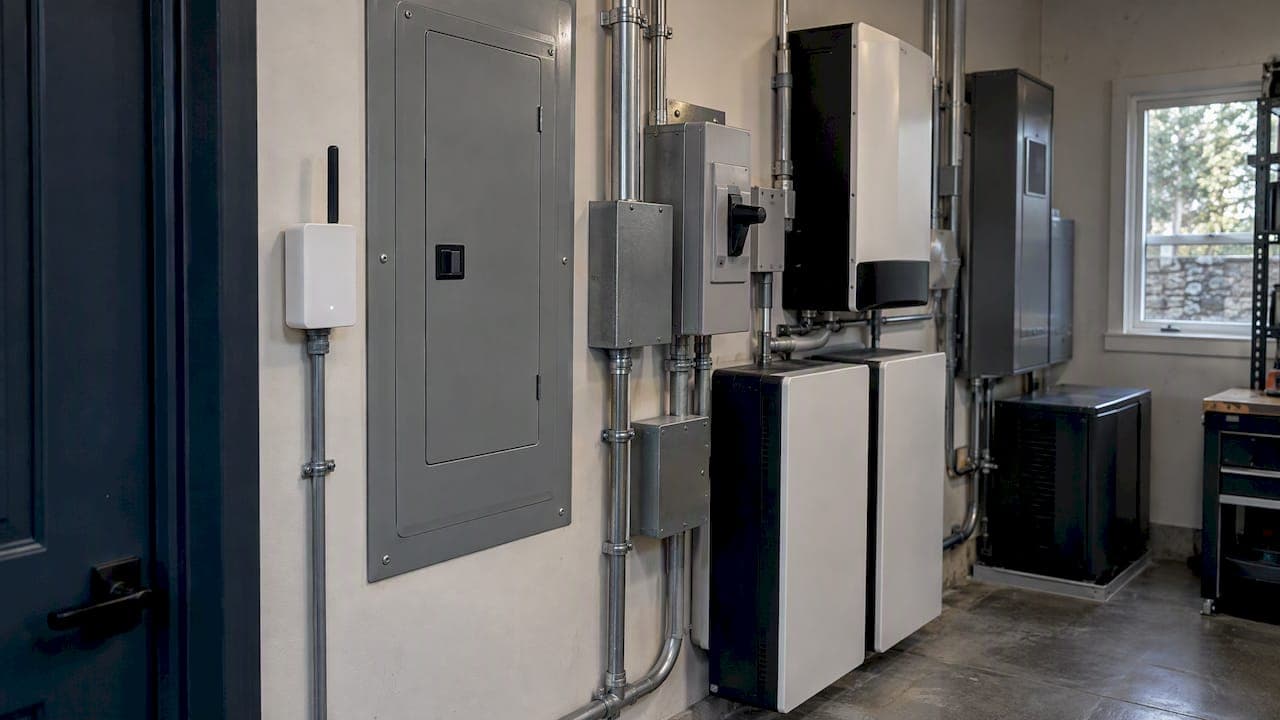
The most reliable way to get power outage alerts at home is to use two layers. Sign up for your utility's free text, call or email alerts, then add an independent cellular power-failure sensor that watches your own property. The utility tells you what it knows about the grid. The sensor tells you what is happening at your house, including when the grid never reported anything. For a vacation home, a well pump, a barn or a guest house, that second layer is the one that matters.
Below we cover how each layer works, where each fails, how brownouts differ from outages, and how to make sure the alert system itself stays powered when everything around it goes dark.
TL;DR
- Utility alerts are the baseline. They are usually free, but they depend on the utility detecting the outage and on your cell service working.
- Add an independent sensor. A cellular-based power-failure alarm does not need your home Wi-Fi, which goes down with your router.
- Brownouts are a separate problem. Low voltage can damage motors and compressors without ever triggering an outage alert. Surge protectors alone do not solve it.
- Power the alert system itself. Sensors, routers and controls need their own battery-backed source, or the alert fails exactly when you need it.
Table of Contents
- Layer one: your utility's outage alerts
- Why public outage maps are not enough
- Layer two: an independent power-failure sensor
- Brownouts: the outage your alerts will miss
- Keep the alert system itself powered
- What to do when the alert arrives
- Our perspective: an alert is the start, not the solution
- From alerts to automatic protection
- Key takeaways
- FAQ
- Sources
Layer one: your utility's outage alerts
Nearly every major U.S. utility now offers outage notifications. Typical features include a text, call or email when your service goes down, an estimated restoration time, and a confirmation when power returns. Most are free, though your carrier's standard message and data rates may apply. Duke Energy's residential alert page is a good example of the format, and Austin Energy lets you register several household phone numbers and set do-not-disturb hours.
A few practical points:
- Enroll through your utility's official portal or text keyword. You usually need your account number, or the phone number tied to the account.
- Add every adult in the household. Some utilities allow many contacts per account. CenterPoint Energy's Power Alert Service sends alerts to you and your family, whether you are home or away.
- Register every meter. A detached guest house, barn, well house or second home often has its own account. Each needs its own enrollment.
- Check what is covered. Some utilities also send planned-shutoff notices. SCE, for example, sends public safety power shutoff alerts by address.
Utility alerts have limits. Your utility has to know about the outage, usually through a smart meter or a customer report. The notice can lag, and a localized fault on your own service drop may not register at all. Your phone also needs a signal. None of this makes the alerts bad. It means they answer one question, "does the utility know?", and not "is my house powered?"
Why public outage maps are not enough
Outage maps are useful for context and unreliable as an alarm. A U.S. Department of Energy-funded analysis of the national EAGLE-I data found county-level estimates covering about 92% of customers as of 2022. The same analysis notes that outages lasting under 15 minutes are rarely captured reliably, and that small or rural utilities are often underrepresented.
There is also a timing problem. Berkeley Lab training material on smart meters and resilience cautions against relying on scraped public utility data for mission-critical awareness, because that data can go stale or become unavailable when utility websites are overloaded during emergencies.
If you are on a rural cooperative, a municipal utility or the end of a long feeder line, expect the map to be the least accurate in exactly your situation.

Layer two: an independent power-failure sensor
An independent sensor plugs into an outlet at your property and reports to a cloud service. When it loses power, or stops being able to see power, it tells you. It does not depend on the utility noticing anything.
The key choice is how it connects:
| Connection | How it behaves in an outage | Best for |
|---|---|---|
| Wi-Fi only | Fails to report if your router loses power, unless the router is on battery backup | Primary homes with a UPS-backed router |
| Cellular | Reports over the mobile network with no home network needed | Vacation homes, farms, outbuildings |
| Battery-backed Wi-Fi | Keeps running for a time, but still needs the router | Short outages with backed-up networking |
The reasoning is simple. As MySpool explains, if your home loses power your Wi-Fi router probably does too, so a Wi-Fi-dependent device cannot tell you. Their guidance is to use cellular connectivity or put the monitoring hardware on a UPS-backed circuit. Products like the iSocket power failure alarm use cellular networks to send alerts without Wi-Fi. Battery-backed Wi-Fi units exist too, and some ignore very short fluctuations, under about two seconds, to avoid false alarms.
Pro tip: Test any sensor by switching off the breaker feeding its outlet, then confirm the alert reaches every phone you registered. Repeat the test once a year and after any router, carrier or phone-number change.
What to ask before you buy a sensor
- Does it work without home internet?
- Does it alert on restoration as well as loss?
- Can several people receive alerts, by text and by call?
- Does it have an internal battery, and for how long?
- Is there a monthly cellular fee, and who pays when the plan lapses?
- Does it reduce false alarms from momentary flickers?
A sensor tells you the power is out. It does not keep anything running. That is a different problem, covered below.
Brownouts: the outage your alerts will miss
A brownout is a sustained voltage drop, not a loss of power. Lights dim, motors labor, and nothing trips. Utility outage systems and simple power-failure sensors may never register it.
That matters because motors are the vulnerable part. HVAC compressors, well pumps and pool pumps draw more current when voltage sags. HVAC School notes that a motor pushed into a stalled, locked-rotor condition draws significantly more current, which generates heat and can lead to winding damage. Homes with large electrical loads have more of this equipment, and more to lose.
Surge protectors are not brownout protection
A surge protector guards against voltage spikes. It does not lift a sagging voltage. According to the nonprofit Electrical Safety Foundation International, protecting sensitive equipment from brownouts calls for a UPS or a line conditioner that actively regulates voltage, and a UPS has the advantage of also supplying short-term backup power if the outage follows.

That said, spikes often follow a brownout when voltage recovers, so surge protection still belongs in the plan. A 6-outlet surge protector suits desktop electronics and network gear, while whole-home surge protection at the panel covers the rest. Know which job each device does.
A practical brownout checklist
- Note when dimming, flickering or struggling motors happen. Evening peaks and heat waves are common.
- Ask your utility to investigate. Persistent low voltage is something they can measure.
- Put sensitive electronics, the router and the alert sensor behind a UPS.
- Have an electrician evaluate whole-home surge protection and, for critical motor loads, voltage-monitoring controls.
- If brownouts recur, consider an automatic system that isolates your property when grid voltage is out of range. A properly engineered microgrid does this by design.
Keep the alert system itself powered
This is the part most guides skip. Alerts that rely on your own router, hub or controller go silent with the rest of the house. The same goes for backup equipment. A fairfax County consumer guide on backup power for home communications explains that fiber and cable internet and VOIP phone service typically fail without battery backup, and that cellular service can be congested during a major event.
Two failure modes deserve attention:
- Networking on the wrong circuit. If the router, modem or monitoring gateway sits on a circuit that a generator or battery system sheds during an outage, your alert and remote-monitoring path dies while the house "has power."
- Single point of communication. If every alert route depends on one carrier or one internet connection, one failure silences everything.
The fix is a layered approach: critical monitoring and communications on a protected, battery-backed circuit, plus a cellular path that does not rely on home internet. For a broader look at how luxury and estate homes think about this, see this guide to whole-estate backup power, which covers layered backup for sensors, alert systems and essential controls.
If anyone in the home relies on a medical alert or personal emergency response system, confirm how it behaves without internet and during local network congestion. Ask the provider directly, and keep a non-internet backup such as a landline or a hardened cellular option. Tell your monitoring service that a loss of connectivity may mean a power outage.
What to do when the alert arrives
An alert is only useful with a plan attached. A short version:
- Confirm scope. Check whether neighbors are out. Check your own breakers before assuming it is the grid.
- Protect motors. Switch off or unplug HVAC and pool equipment that could restart abruptly when power returns, unless an automatic system manages this.
- Check what backup is carrying. A battery or generator should have taken over. If it did not, that is a failure to log and fix, not just endure.
- Report it. Use your utility's reporting line or text keyword, even if you suspect they know.
- Watch the restoration notice. Remote properties benefit from a "power restored" alert so you know when things are back to normal.
Our perspective: an alert is the start, not the solution
We design backup and microgrid systems for homes, estates and farms, and the same pattern comes up repeatedly. Owners do the sensible thing and set up alerts. Then an outage arrives, the phone buzzes, and nothing in the house responds to it.
Our honest take: alerts should be treated as one component of a resilience plan, not a replacement for one. A property with a well pump, HVAC, a pool, a guest house and a freezer full of food needs automatic continuity. A text message at 2 a.m. from a vacation home three states away does not keep the pipes from freezing.
We design each system around the property's actual electrical demand and site conditions. That includes the often-overlooked parts: where controls and communications live, what they run on, and which loads transfer when. The monitoring and control layer should be on its own protected power, so the system stays visible and manageable during an outage. We also treat voltage behavior as a design input, because a property that rides through a brownout automatically is better off than one that merely reports it.
If your main concern is the gap between knowing and acting, our pages on why battery backup alone may not be enough and how hybrid backup systems work explain the options.
— Prime Microgrid
From alerts to automatic protection
Here is how the layers stack up, from simplest to most complete:
| Layer | What it does | What it does not do |
|---|---|---|
| Utility alerts | Tells you the utility has detected an outage | Confirm your property's status; cover brownouts |
| Cellular sensor | Tells you your outlet lost power | Keep anything running |
| UPS on critical electronics | Bridges short outages and brownouts for small loads | Run HVAC, pumps or whole-home loads |
| Battery backup | Carries selected circuits automatically | Cover long outages if undersized |
| Hybrid battery plus generator | Automatic continuity for extended events | Replace good monitoring |
| Engineered microgrid | Integrates generation, storage, generators and controls into one managed system | Substitute for a proper site assessment |
If your property is large, remote, or carries critical loads, you will probably want to move down this table over time. Our guide to evaluating home backup power options walks through the decision, and the critical home systems guide helps you decide what actually needs to stay on.
Where Prime Microgrid fits
Prime Microgrid designs, engineers, installs and commissions custom residential microgrids for homes, estates and farms. Our Estate Microgrid, Battery Retrofit, Hybrid Generator and Off-Grid systems are built around your property's measured load, with engineer review and a privacy-focused process that does not use generic packages or sell client information. If you already have solar or a generator and want automatic protection with monitoring that stays alive, start with a system design conversation.
Key takeaways
- Enroll every meter and every household member in your utility's alerts.
- Add a cellular sensor on any property that matters, and test it.
- Treat brownouts separately, using a UPS, line conditioning and surge protection for the right jobs.
- Put routers, gateways and controls on protected, battery-backed power.
- If outages cost you more than inconvenience, move from alerts to automatic backup.
FAQ
Are utility outage alerts free?
Usually, yes. Utilities typically do not charge for them, although your mobile carrier's standard message and data rates may apply, as Austin Energy notes. Check your utility's alert page for specifics, since programs differ.
Will my alerts work if the power is out and the internet is down?
Utility texts and calls reach your phone over the cellular network, so they can still arrive. A Wi-Fi-based sensor cannot report if your router loses power. A cellular sensor or a UPS-backed router avoids that gap.
How is a brownout different from an outage?
An outage is a complete loss of power. A brownout is a sustained voltage drop that leaves power on but can stress motors and electronics. Outage alerts usually will not catch it, and a UPS or voltage-regulating equipment is the typical defense, per ESFI.
Do medical alert systems work during a power outage?
It depends on the system and how it connects. Many rely on internet or VOIP phone service that fails without battery backup, and cellular units can be congested during major events. Ask your provider how the device behaves in an outage and keep a non-internet backup.
Sources
- Residential Power Outage Alerts, Duke Energy
- Get Outage Alerts, Austin Energy
- Power Alert Service, CenterPoint Energy
- Get Power Outage Alerts, SCE
- EAGLE-I outage data analysis, OSTI
- Smart meters and resilience training, Berkeley Lab
- Power Alert, MySpool
- Power Failure Alarm, iSocket
- Brownouts, Electrical Safety Foundation International
- Brownouts and HVAC equipment, HVAC School
- Backup Power, Fairfax County Cable and Consumer Services