

Most homeowners shopping for backup power assume the choice is simple: either back up the whole house or settle for less. The reality of why whole-home backup differs from partial systems goes much deeper than coverage area. The two approaches diverge on battery sizing, installation complexity, real-world runtime, cost, and how much your daily routine changes during an outage. Getting this wrong means spending too much, too little, or building a system that disappoints you the first time the grid goes down.
Table of Contents
- Key takeaways
- What partial backup actually covers
- How whole-home backup systems are built
- Comparing the two options directly
- Practical factors to weigh before you decide
- Misconceptions that cost homeowners money
- My honest take after working with homeowners
- Power your home smarter with Primemicrogrid
- FAQ
Key takeaways
| Point | Details |
|---|---|
| Coverage determines complexity | Whole-home systems connect to the main panel; partial systems use a critical loads subpanel with selected circuits only. |
| Cost gap is significant | Whole-home battery backup typically costs $25,000 to $50,000, while partial setups cost far less due to smaller batteries and simpler wiring. |
| Runtime depends on behavior | High-draw appliances drain even large battery banks fast, so runtime expectations must be realistic for both system types. |
| A staged approach works | Starting with critical loads and expanding later is often smarter than committing to a full whole-home system upfront. |
| Load analysis is non-negotiable | Professional load analysis before installation prevents undersized or oversized systems and protects your electrical infrastructure. |
What partial backup actually covers
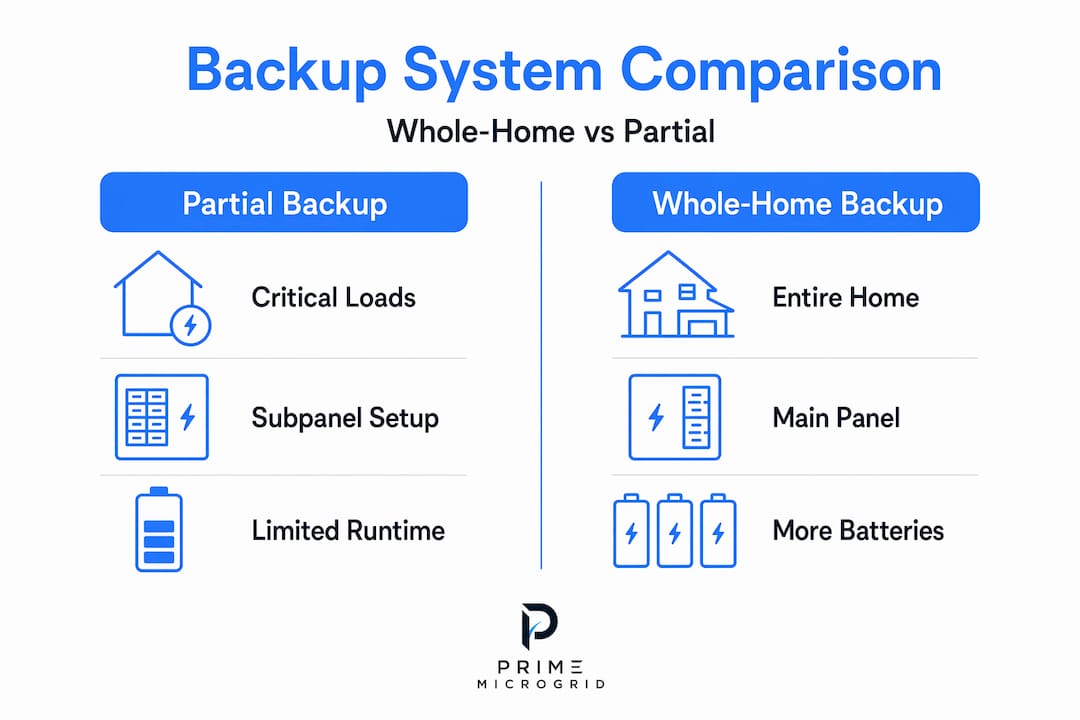
Partial backup is not a compromise. It is a deliberate strategy that powers the circuits you care most about when the grid fails. The design centers on a critical loads subpanel, which is a secondary panel wired to receive power from your battery system. You and your installer decide which circuits feed into it before the system is ever turned on.
Partial systems require smaller batteries and simpler installation compared to whole-home configurations, which makes them more affordable and faster to deploy. A typical partial backup setup covers loads like:
- Refrigerator and freezer
- Internet router and modem
- Critical lighting circuits
- Security system and cameras
- Well pump or sump pump
- Medical equipment
What it does not cover is everything else. Your HVAC, electric range, clothes dryer, electric water heater, and EV charger stay dark. For some households, that is a manageable trade-off, especially during short outages of a few hours. For others, losing heating and cooling makes an outage genuinely difficult.
Partial backup limitations show up fast in all-electric homes. If your stove, heat, and water heater all run on electricity, a partial system forces real lifestyle changes during any extended grid failure. Homeowners with gas appliances tend to feel these limits far less since their highest-draw loads already run on a separate fuel source.
Pro Tip: When building a critical loads list, include only what you genuinely cannot do without. Every additional circuit shortens your runtime. Discipline here extends how long your partial system lasts during an actual outage.
How whole-home backup systems are built
Whole-home backup connects to your main electrical panel rather than a subpanel. That single design choice changes everything downstream. It means the system must be sized to handle every circuit in your home, including the high-demand appliances that a partial system deliberately avoids.
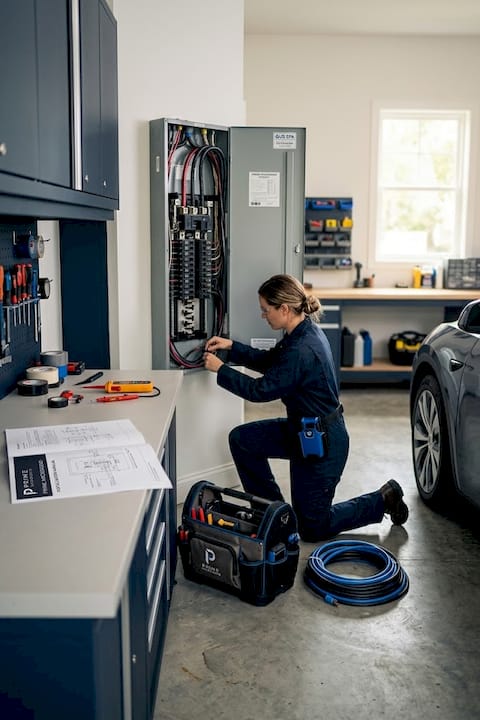
Whole-home systems demand load calculations and larger battery banks to safely manage HVAC units, electric water heaters, and other heavy loads. In practice, this means multiple battery modules, a larger inverter, and often electrical panel upgrades to handle the added infrastructure.
Here is a side-by-side look at how the two systems compare on major technical factors:
| Feature | Partial backup | Whole-home backup |
|---|---|---|
| Panel connection | Critical loads subpanel | Main electrical panel |
| Battery size needed | Smaller, 1-2 units typical | Multiple modules required |
| Covered appliances | Essential circuits only | All home circuits |
| HVAC coverage | No | Yes |
| Typical cost range | $8,000 to $20,000 | $25,000 to $50,000+ |
| Installation complexity | Moderate | High |
| Lifestyle during outage | Managed compromises | Near-normal operation |
The whole-home backup benefits are real. You run your air conditioning, cook on your electric stove, shower with hot water, and charge your devices without thinking about which circuits are active. The outage becomes nearly invisible from a daily routine standpoint, assuming your system is sized correctly.
Pro Tip: Battery backup systems provide near-instantaneous power transfer in 15 to 30 milliseconds, compared to 10 to 30 seconds for generators. This matters for sensitive electronics like computers, smart home hubs, and medical devices.
The catch is that whole-home backup does not mean unlimited power. High-draw appliances drain battery capacity fast, even in well-sized whole-home systems. Running central air conditioning at the same time as an electric water heater and a dryer is the kind of simultaneous load that tests any system's limits quickly.
Comparing the two options directly
Understanding why whole-home backup differs from partial comes down to five practical dimensions that affect your daily life and your wallet.
Coverage scope is the obvious one. Partial backup protects a curated list of circuits. Whole-home backup covers your entire electrical load. But the more important question is whether you actually need everything covered, or whether selective coverage gets you through an outage comfortably.
Runtime expectations vary more than most homeowners realize. A partial system running only a refrigerator, router, and a few lights can last significantly longer on the same battery capacity than a whole-home system running an HVAC unit. The math is straightforward: fewer loads means slower battery drain.
Cost and installation represent the clearest contrast. Whole-home battery backup costs range from $25,000 to $50,000 depending on home size and energy consumption, while partial systems come in well below that. Installation complexity also rises sharply with whole-home systems, which may require panel upgrades and more extensive electrical work.
When comparing backup options, consider these practical scenarios where each approach makes sense:
- Partial backup fits best when: You have gas appliances for cooking and heating, outages in your area are typically short, your budget is under $15,000, or you primarily need to protect food, communications, and safety systems.
- Whole-home backup fits best when: Your home is all-electric, you work from home and need full comfort, you have medical needs requiring climate control, or you live in an area with extended outage risk.
Homeowners with gas appliances often find partial backup genuinely sufficient, while all-electric homes typically require whole-home coverage to maintain acceptable living conditions during an extended grid failure.
Practical factors to weigh before you decide
Choosing between these two systems is not just about today's budget. It is about planning your electrical infrastructure to support where you might want to be in five years. Here is a structured way to think through the decision:
-
Audit your critical loads. Walk through your home and list every circuit. Separate the ones you genuinely cannot do without from the ones that are nice to have. Most homeowners discover their true critical list is shorter than expected.
-
Estimate outage duration for your area. A home in a region prone to multi-day outages after hurricanes or ice storms has different requirements than one that sees occasional two-hour interruptions. Duration shapes sizing more than almost any other factor.
-
Assess your home's fuel mix. If your heating, cooking, and water heating run on gas, a partial system may cover nearly everything that matters during an outage. All-electric homes should plan for larger systems early in the process.
-
Plan for solar or generator pairing. A battery system that recharges from solar panels or a standby generator extends your effective runtime dramatically. Without a recharge source, even a large battery bank has a finite ceiling.
-
Reserve panel capacity upfront. Retrofitting whole-home backup is expensive. Planning conduit capacity and panel space during initial installation significantly reduces future expansion costs. Even if you start partial, build the infrastructure for growth.
-
Get a professional load analysis. This is not optional for either system type. A load analysis tells you exactly how much capacity you need, prevents dangerous undersizing, and helps you avoid paying for far more than you actually require.
A staged approach that expands from critical loads to whole-home backup as your budget and needs grow is often more cost-effective than committing to a full whole-home system from day one.
Misconceptions that cost homeowners money
The most persistent myth about whole-home backup is that it is a set-and-forget solution. Whole-home backup has real limits on power and runtime that homeowners must actively plan around, not assume away. Buying more capacity does not eliminate the need for smart load behavior during extended outages.
The "more batteries is better" assumption leads homeowners to overspend when a partial system with disciplined load management would have served them just as well, at half the price. The question is never just how much battery you have. It is how efficiently you use it.
Reliability also depends on things beyond battery size. Backup reliability improves significantly when critical smart home devices are connected via wired Ethernet rather than Wi-Fi, and when routers and smart home hubs are protected by small uninterruptible power supplies. A whole-home battery system that powers everything means nothing if your smart home hub crashes because it was not protected from the brief transfer window.
"The best reliability strategy mixes UPS protection for millisecond-sensitive electronics with battery or generator power for longer-duration load support. Neither alone is as resilient as both together."
Pro Tip: Before finalizing your system design, identify any smart home devices that require wired connections for reliable backup operation. This single step prevents a surprising number of outage failures in modern homes.
My honest take after working with homeowners
I've seen the same pattern repeat itself dozens of times. A homeowner hears "whole-home backup" and assumes it solves every outage problem permanently. Then they get a quote in the $40,000 range and either walk away from the conversation entirely or buy it expecting seamless operation, only to be surprised when running the AC and the dryer simultaneously drains the system faster than expected.
What I've learned is that the essentials-first approach, done right, serves most homeowners better in the early stages of their backup journey. Start with a well-designed partial system that covers what truly matters. Build the electrical infrastructure for expansion. Add capacity when budget allows or when your energy profile changes, such as after adding an EV or switching to all-electric appliances.
The uncomfortable truth is that full home backup advantages are real, but they come with real operating discipline. You cannot treat a battery-backed home the same way you treat a grid-connected home during an extended outage. The physics of energy storage do not change because the marketing says "whole-home."
My advice: plan your backup system as a scalable investment, not a one-time purchase. Integrate smart load controls from the start, even on a partial system, because that intelligence is what lets you stretch runtime and prioritize loads automatically when the grid fails.
— David
Power your home smarter with Primemicrogrid
Whether you are starting with a critical loads setup or planning a full whole-home backup solution, Primemicrogrid designs systems built around your actual energy profile, not a one-size-fits-all package.

Primemicrogrid provides professional load analysis, panel planning, and scalable microgrid design for homes across the Mid Atlantic region. Our team helps you figure out exactly which approach fits your home, your budget, and your reliability goals before any equipment is ordered. From battery storage to generator integration and smart load management, every system we build is sized for how you actually live. Explore residential microgrid options for your home and start with a conversation, not a commitment.
FAQ
What is the main difference between whole-home and partial backup?
Whole-home backup connects to your main electrical panel and covers all circuits, while partial backup uses a critical loads subpanel to power only selected essential circuits. The difference determines battery sizing, cost, installation complexity, and how your home functions during an outage.
How much does whole-home battery backup cost?
Whole-home battery backup systems typically cost between $25,000 and $50,000, depending on home size, energy consumption, and installation requirements. Partial backup systems cost significantly less due to smaller batteries and simpler wiring.
Can I start with partial backup and upgrade later?
Yes. Planning conduit capacity and panel space during your initial installation makes future expansion far less expensive. A staged approach from critical loads to full coverage is often the most cost-effective path for homeowners with budget constraints.
Should I get whole-home backup if my home has gas appliances?
Probably not right away. Homeowners with gas heating, cooking, and water heating typically find partial backup sufficient since their highest-draw loads already run on a separate fuel. Whole-home backup makes the most sense for all-electric homes.
How long will a whole-home battery system last during an outage?
Runtime depends entirely on which loads are running and the total battery capacity installed. High-demand appliances like central air conditioning and electric water heaters drain battery banks quickly, so realistic runtime planning and smart load management are critical for both system types.